
.png)
Description
Download Factful Integrated AI Writing Assistant – AI‑powered grammar, fact‑checking, and productivity tool
Overview
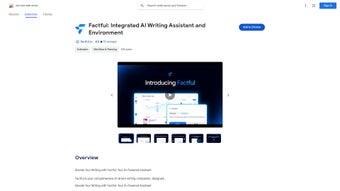
Factful Integrated AI Writing Assistant is a web‑based, Chrome‑extension‑style tool that brings real‑time, AI‑driven writing support directly to your browser. Designed for students, professionals, content creators, and anyone who writes on a regular basis, Factful blends grammar polishing, style enhancement, and factual verification into a single, unobtrusive overlay. As you type, the assistant scans each sentence, offering suggestions that keep your tone consistent, your arguments accurate, and your language crisp. What sets Factful apart from generic spell‑checkers is its layered approach: a built‑in fact‑checking engine cross‑references your statements against reputable sources, while instant slash commands—like /summarize, /search, and /translate—let you perform complex tasks without leaving the page. The interface is deliberately minimal, presenting suggestions in a sidebar that can be toggled on or off, ensuring that your workflow remains uninterrupted. Whether you are drafting a research paper, polishing a marketing email, or drafting a quick social‑media post, Factful helps you write faster, more accurately, and with greater confidence. Because it lives in the cloud, updates roll out automatically, guaranteeing that you always benefit from the latest AI models and security patches. In short, Factful is more than a grammar checker; it’s a full‑stack writing partner that adapts to the platform you’re using—be it Google Docs, Gmail, or any web‑based text field—while staying completely free and secure.
Key Features & What Users Love About Factful
- Real‑time grammar, punctuation, and style correction powered by advanced language models.
- Automated fact‑checking that flags dubious claims and suggests credible sources.
- Slash‑command shortcuts:
/summarizecreates concise abstracts,/searchpulls up web results, and/translateconverts text instantly. - Context‑aware tone suggestions for formal, casual, or persuasive writing styles.
- Seamless integration with popular web editors (Google Docs, Gmail, WordPress, and more).
- Customizable suggestion density, allowing you to choose a light edit mode or an aggressive rewrite mode.
- Privacy‑first architecture: all text is processed anonymously and never stored permanently.
- Continuous AI updates delivered via the Chrome Web Store, ensuring you always have the newest features.
Pros
- Boosts writing speed by up to 30 % thanks to instant AI commands.
- Improves factual accuracy, which is crucial for academic and professional content.
- Free to use with no hidden subscription fees.
- Easy installation—just a click in the Chrome Web Store.
- Lightweight design that doesn’t slow down the browser.
- Supports multiple languages for translation and multilingual fact‑checking.
Installation, Usage & Compatibility
Getting started with Factful is straightforward. Visit the Chrome Web Store, search for “Factful Integrated AI Writing Assistant,” and click Add to Chrome. After granting the required permissions—primarily access to the pages you edit—the extension icon appears next to your address bar. Clicking the icon opens a compact sidebar where you can toggle the assistant, adjust suggestion settings, and view recent fact‑check results.
Once active, Factful works automatically on any editable web field. As you type, underlined words indicate potential issues; hover to see a tooltip with the suggested correction. To accept a suggestion, press Enter or click the checkmark. The slash‑command feature is triggered by typing a forward slash followed by the command keyword (e.g., /summarize) and pressing Space. Factful then processes the surrounding paragraph and inserts the output directly into your document.
Compatibility – Factful is built for the Chrome browser on Windows, macOS, and Linux. Because it runs as a browser extension, it also works on Chrome‑based browsers such as Edge, Brave, and Opera. Mobile users on Android or iOS can benefit from the companion web version, though the full feature set (including slash commands) is currently optimized for desktop environments. The Windows, macOS, Linux, Android, iOS compatibility ensures that virtually any user can integrate Factful into their daily workflow without needing separate installations for each platform.
Cons
- Full functionality is limited to Chrome and Chromium‑based browsers; Firefox users must rely on a web version.
- Heavy reliance on internet connectivity; offline mode is not yet available.
- While fact‑checking is robust, it may occasionally flag niche or newly published data as unverified.
FAQ & Conclusion
Is Factful really free or are there hidden costs?
Factful is completely free for personal use. All core features—including grammar correction, fact‑checking, and slash commands—are available without a subscription. A premium tier may be introduced in the future for enterprise analytics, but no hidden fees exist today.
How does Factful ensure my data privacy?
Factful processes text in an encrypted pipeline and does not store any user content permanently. Only transient data needed for real‑time suggestions is kept in memory, and all requests are routed through secure HTTPS connections.
Can I use Factful with non‑English languages?
Yes. Factful supports major languages such as Spanish, French, German, and Portuguese for both grammar assistance and translation commands. The fact‑checking engine is primarily optimized for English, but multilingual fact‑checks are gradually being added.
What happens if I’m offline? Will Factful stop working?
Because Factful relies on cloud‑based AI models, an active internet connection is required for real‑time suggestions. In offline mode the extension will display a small banner indicating limited functionality until connectivity is restored.
Is there a way to customize the suggestion intensity?
Absolutely. Within the sidebar settings you can choose between “Light Edit,” “Balanced,” and “Aggressive” modes, allowing you to control how many recommendations appear as you type.
Conclusion – Factful Integrated AI Writing Assistant delivers a powerful blend of grammar polishing, factual verification, and productivity shortcuts—all from a single, free Chrome extension. Its real‑time feedback helps writers of every skill level produce clearer, more credible content without sacrificing speed. By installing Factful today, you gain a trustworthy AI partner that respects your privacy, updates automatically, and works across the major operating systems you already use. Ready to write with confidence? Download Factful now and experience the future of intelligent writing assistance.
Guides & Tutorials for Factful Integrated AI Writing Assistant
How to install Factful Integrated AI Writing Assistant
- Click the Preview / Download button above.
- Once redirected, accept the terms and click Install.
- Wait for the Factful Integrated AI Writing Assistant download to finish on your device.
How to use Factful Integrated AI Writing Assistant
This software is primarily used for its core features described above. Open the app after installation to explore its capabilities.
User Reviews for Factful Integrated AI Writing Assistant 0
No reviews found




